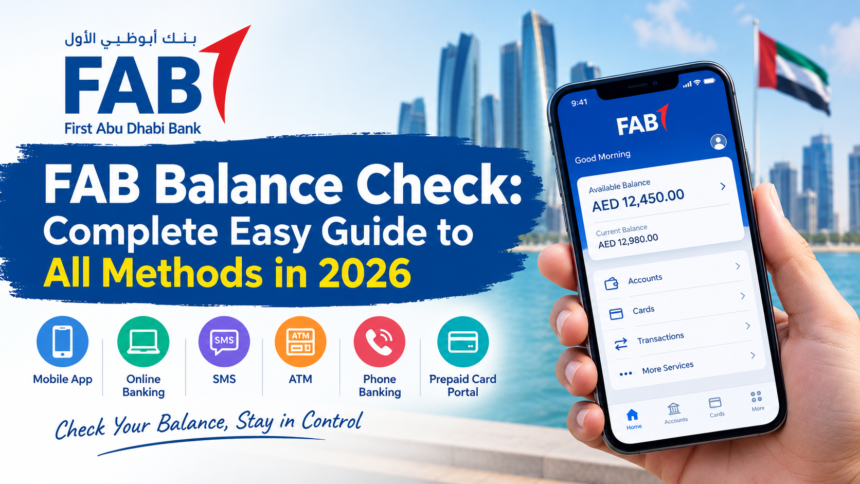
This guide is for general information and is not affiliated with First Abu Dhabi Bank. Always confirm details with FAB before you act on them.
Every month, millions of people in the UAE open an app, an ATM screen or a text message to see how much money is left. A FAB balance check takes seconds, but the best method depends on whether you hold a savings account, a credit card or a Ratibi salary card. First Abu Dhabi Bank offers the app, online banking, SMS, ATMs, phone banking and a special portal for prepaid cards. This guide explains each one with simple steps, so you can pick the route that fits your product and your situation. Never share your PIN, password or one time password with anyone, no matter who asks.
FAB Balance Check at a Glance
| Quick Fact | Details |
| Bank | First Abu Dhabi Bank (FAB), formed in 2017 from NBAD and First Gulf Bank |
| Customer Care in the UAE | 600 52 5500 |
| Customer Care From Abroad | +971 2 681 1511 |
| SMS Shortcode | 2121 |
| Account Balance by SMS | BAL followed by the last 4 digits of the account |
| Credit Card Balance by SMS | CBAL followed by the last 4 digits of the card |
| Ratibi and Prepaid Cards | Magnati prepaid card inquiry portal, Payit app or any FAB ATM |
| Fastest Method | FAB Mobile app |
| Works Without Internet | SMS, ATM and phone banking |
| Cost | Free on the app, online banking and FAB ATMs; your carrier may charge for SMS |
What Is a FAB Balance Check?
A FAB balance check is the process of viewing the money available in a First Abu Dhabi Bank account, card or prepaid wallet through an official channel. FAB formed in 2017 when National Bank of Abu Dhabi merged with First Gulf Bank, and it now serves millions of customers across personal, business and salary banking. Because older NBAD cards still work, many customers hold products from both banks without knowing it. The service lets you see your funds before you pay a bill, send money or withdraw cash.
Why People Use It
Most users check to confirm that their salary has arrived, to track daily spending and to spot unexpected charges early. Others check before a large payment so a transfer does not fail, or before a trip so a card is not declined abroad. A quick look every few days also helps you avoid overdrafts and catch fraud while it is still small.
Available Balance vs Current Balance
Your app shows two numbers, and they are not the same. The available balance is what you can spend or withdraw right now. The current balance also counts pending transactions that have not cleared, so a recent card payment can make the two figures differ for a day or two. When you plan a rent payment or a transfer, trust the available balance, because that is the amount the bank lets you use.
Top 7 Methods to Check Your FAB Balance
FAB gives you seven practical ways to see your balance. You can use a phone, a computer, an ATM, a text message, a phone call or a prepaid card portal. Choose the one that matches your product and your connection, and keep a second method ready in case the first one fails.
1. FAB Mobile App: The Fastest Method
The FAB Mobile app is the quickest way to see your balance, and it works at any hour. It shows your accounts, cards and recent transactions in one place, and it supports Face ID and fingerprint login so repeat checks take a few seconds.
Step 1: Download FAB Mobile from the App Store or Google Play and confirm the publisher is First Abu Dhabi Bank.
Step 2: Open the app and sign in with your biometrics or your username and password.
Step 3: Tap the accounts or cards section on the home screen.
Step 4: Read the available balance and the current balance for each product.
The app is the best choice for daily use, because it also sends alerts when a salary lands or a card payment goes through. Switch on notifications so you see activity without opening the app at all.
2. FAB Online Banking
Online banking suits people who work at a desk and want statements, exports or several accounts side by side. It gives you a full view of your accounts, and you can open any account to see its complete transaction history.
Step 1: Open the official First Abu Dhabi Bank website by typing the address yourself.
Step 2: Choose personal online banking for the UAE and sign in with your user ID and password.
Step 3: Approve the login with the one time password sent to your registered mobile number.
Step 4: Open the account summary page to see the balance on every linked account.
Online banking also works from other countries, as long as you have your credentials and a stable connection. Do not use it on public computers or shared Wi Fi.
3. ATM Balance Inquiry
Any FAB ATM can show your balance without an internet connection. This method works for debit cards and Ratibi salary cards, and it is a good fallback when your phone battery is low or you have no signal.
Step 1: Insert your FAB debit or Ratibi card into the machine.
Step 2: Enter your 4 digit PIN while covering the keypad.
Step 3: Select Balance Inquiry or Account Balance from the menu.
Step 4: Read the balance on the screen, or choose a printed slip or mini statement if you want a record.
A check at a FAB machine is free, while another bank’s ATM may add a small fee, so use a FAB machine when you can. Take your card before you walk away.
4. SMS Banking
SMS banking is the best FAB balance check when you have no internet, because it needs only a mobile signal and a registered number. Send the account command from the number linked to your FAB profile, and the bank replies with your balance within seconds. Your mobile carrier may charge its normal SMS rate, but the enquiry itself costs nothing at FAB. Messages from unregistered numbers are ignored for security reasons.
Step 1: Open your messaging app on the mobile number registered with FAB.
Step 2: For an account, type BAL, a space and the last 4 digits of the account, such as BAL 1234.
Step 3: For a credit card, type CBAL, a space and the last 4 digits of the card.
Step 4: Send the message to 2121 and wait for the reply with your balance.
If you receive no reply, SMS banking is probably not active on your number. Activate it at a FAB ATM, in the app, through customer care or at a branch, and make sure your registered number is up to date.
5. Ratibi and Prepaid Card Portal
Ratibi salary cards and other prepaid cards have no bank account behind them, so most holders use the Magnati prepaid card inquiry portal. The portal is linked from the official FAB website, and it needs no bank login. Employers across the UAE use Ratibi cards to pay wages under the Wage Protection System, so this route matters to a very large number of workers.
Step 1: Open the Magnati prepaid card inquiry page from the official FAB website.
Step 2: Enter the last digits of your card number, as the page requests.
Step 3: Enter the Card ID printed on the back of your card.
Step 4: Complete the security check and tap the button to see your balance and recent transactions.
The portal is quick and simple, and it is ideal for employees who only hold a salary card. Use only the page linked from the official FAB site, because fake lookalike pages try to collect card details.
6. Customer Care and Phone Banking
Phone banking helps most when a login fails, a card is blocked or a deposit looks missing. The automated line is reported to run around the clock, and an agent can step in after identity checks.
Step 1: Call 600 52 5500 from inside the UAE, or +971 2 681 1511 from abroad.
Step 2: Follow the voice prompts and choose the balance inquiry option.
Step 3: Verify your identity with the details the system or agent requests.
Step 4: Listen to your balance, or ask for help with any problem you noticed.
Beginners and customers without a smartphone often prefer this route, because a real person can explain what they see. Never share your PIN, password or one time password with a caller, even if the caller claims to work for FAB.
7. Payit Wallet App
Payit is a digital wallet app from First Abu Dhabi Bank for payments, transfers and bill splitting. Ratibi cardholders can also register a card in it and read the balance on a phone. It works as a secondary option, so it suits people who already use Payit every day.
Step 1: Open the Payit app and sign in with your credentials or biometrics.
Step 2: Go to the wallet or accounts section.
Step 3: Read your current wallet or card balance on the screen.
Which FAB Balance Method Is Best?
The best method depends on your goal. The table below matches the most common needs with the route that serves them best, so you can decide in a few seconds.
| Your Goal | Best Method | Why |
| Fastest daily check | FAB Mobile app | Balance sits on the home screen after one biometric tap |
| Statements and exports | Online banking | Large screen, full history and downloads |
| No internet | SMS, ATM or phone banking | Needs only a signal, a card or a phone call |
| Ratibi or prepaid card | Magnati portal | No bank login or app needed |
| Login problems or a blocked card | Customer care or branch | A person can verify you and fix the cause |
| Beginners | ATM | Insert card, enter PIN, tap Balance Inquiry |
Which FAB Balances Can You Check?
Personal Savings and Current Accounts
Account holders have the widest choice. The app, online banking, SMS, ATMs, phone banking and branches all show the available balance and recent transactions. Use the app for speed and online banking for statements.
Credit Cards
Credit card holders can see the balance and available limit in the cards section of the app. The SMS route uses the CBAL keyword, so a plain BAL message will not return card data. Online banking also lists each card with its outstanding amount and due date.
Prepaid and Salary Cards
Ratibi and other prepaid cards use the Magnati portal, the Payit app, FAB ATMs and phone banking. They do not need a full bank account, which makes them popular for workers paid under the Wage Protection System.
Business and Corporate Accounts
Companies check balances through FAB’s online corporate banking, which helps teams manage salaries, expenses and cash flow safely. Business customers can also call their relationship manager for help with larger or more complex accounts.
Older NBAD Cards
Cards issued under the National Bank of Abu Dhabi name remain valid after the merger. Prepaid NBAD cards use the same Magnati portal, while NBAD debit and credit cards follow the regular FAB channels. If an old card stops responding, call customer care before you assume the money is gone.
How to Register for FAB Online Banking
You need to register for online banking only once, and after that you can check your balance from any device. Keep your account number, card number or Emirates ID ready, and make sure your mobile number is current with the bank.
Step 1: Open the official FAB website and choose online banking.
Step 2: Select the register option and enter your account number, card number or Emirates ID.
Step 3: Verify your identity with the one time password sent to your registered number.
Step 4: Create a secure user ID and a strong password, then sign in for the first time.
What to Do If You Forgot Your Password
A forgotten password is a common reason people cannot see their balance, and the fix is quick. You can reset it online or by phone, and the bank verifies you before it lets you set a new one.
Step 1: Open the app or the online banking login page and tap Forgot Password.
Step 2: Enter your user ID and follow the verification steps.
Step 3: Create a new password and sign in again.
Step 4: If the online reset fails, call 600 52 5500 and let an agent guide you after identity checks.
Checking Your FAB Balance From Outside the UAE
You can see your balance abroad through the FAB Mobile app and online banking, which work on any Wi Fi or data connection. Phone banking is open through the international number, though call charges may apply. SMS banking may not work from foreign numbers unless your UAE SIM stays active, so treat the app as your main option while you travel. Use secure connections, and avoid public computers and open Wi Fi.
Why Regular Balance Checks Matter
Salary and Deposits
A quick look confirms that your employer’s payment arrived on time, and it shows whether a refund or transfer has cleared. Workers on salary cards often check on payday, and a regular habit makes any delay easy to spot and report.
Fraud and Safety
Frequent checks help you notice an unknown charge while it is still small. If you see a transaction you do not recognize, call customer care right away so the bank can block the card and investigate.
Budget and Overdraft Control
Knowing your available balance helps you plan rent, bills and groceries without surprises. It also prevents declined payments, which can embarrass you at a shop counter or cost you a late fee.
Common Problems and Easy Fixes
Most balance problems are small and take a minute to fix. The table below lists the issues people report most often, with the likely cause and the quickest remedy.
| Problem | Likely Cause | Quick Fix |
| Forgot login password | Credentials not remembered | Use Forgot Password in the app or on the website, or call 600 52 5500 |
| Balance not showing | Weak connection or an old app version | Update the app, check your internet and try again after a few minutes |
| SMS gets no reply | SMS banking inactive or wrong details | Send from the registered number with the right keyword and 4 digits, or activate the service |
| ATM shows an error | Machine fault or card issue | Try another FAB ATM and check the card expiry date |
| App will not open | Corrupted cache or outdated app | Clear the cache, update or reinstall the app |
| Magnati portal rejects details | Wrong digits or Card ID | Recheck the card number digits and the Card ID on the back of the card |
| Balance looks wrong | Pending transactions | Wait up to an hour, then call customer care if it still looks wrong |
Safety Tips for Checking Your Balance
Be careful with any offer that promises a FAB balance check through WhatsApp, a USSD code or a link in a text message. FAB does not offer balance checks over WhatsApp, and fraud messages often push third party channels to steal logins. Use only the official FAB app, the official FAB website and the Magnati portal linked from it. If a message asks for your PIN, password or one time password, delete it and call 600 52 5500 to report it.
Avoid public Wi Fi for banking, keep your phone and app updated, and switch on biometric login. Cover the keypad at ATMs, and take your card and slip when you leave. Never lend your card or PIN to a colleague or a friend, even for a short errand.
Who Uses FAB Balance Services?
FAB balance services serve a very wide group of people in the UAE. Private sector employees, government staff, small business owners, students and expatriates all use them, and so do workers paid through Ratibi cards. Because the channels range from a smartphone app to a simple ATM, almost anyone can find a route that fits their skills and their device.
Advantages of FAB Digital Banking
FAB’s digital channels give you access to your money at any hour, with real time balance updates and secure logins. You can transfer money, pay bills and see transactions without visiting a branch, which saves time and queues. Biometric login, alerts and the Payit wallet add speed and safety, and they help explain why so many customers use the bank every day.
Conclusion
A FAB balance check takes seconds once you match the method to your product. Use the FAB Mobile app for daily checks, SMS to 2121 when you have no data, the Magnati portal for Ratibi and prepaid cards, and customer care on 600 52 5500 when something looks wrong. Stick to official channels, keep your PIN and one time password private, and check the available balance before you spend.
Frequently Asked Questions
How can I check my FAB balance quickly?
Use the FAB Mobile app. After a Face ID or fingerprint sign in, your balance appears on the home screen within seconds.
Is FAB balance enquiry free?
Yes. The app, online banking and FAB ATMs charge nothing for a balance request. Your mobile carrier may bill a standard rate for the SMS route.
Can I check my FAB balance without internet?
Yes. Use SMS banking from your registered number, any FAB ATM with your card and PIN, or phone banking on 600 52 5500.
What is the FAB SMS number for balance enquiry?
The SMS shortcode is 2121. Send BAL plus the last four digits of your account, or CBAL plus the last four digits of your credit card.
How do I check my FAB Ratibi card balance?
Use the Magnati prepaid card inquiry portal with the last digits of your card and your Card ID, or use the Payit app or a FAB ATM. No bank login is needed for the portal.
Can I check my FAB balance from abroad?
Yes. The FAB Mobile app and online banking work worldwide over the internet, and phone banking is open through the international number.
What is the safest way to check my FAB balance?
The FAB Mobile app and online banking are the safest, because they use secure logins and biometric checks. Always use the official app and website.
Does FAB have WhatsApp banking?
No. FAB does not offer balance checks over WhatsApp, so treat any such service as a possible scam and use the official app or website instead.
Why is my FAB balance different in the app and on the SMS?
The app shows both available and current balance, and pending card transactions can make them differ for a day or two. The available balance is the figure you can actually spend.
What is the FAB customer care number?
Customers inside the UAE call 600 52 5500, and customers abroad call +971 2 681 1511. These numbers also handle blocked cards, password resets and fraud reports.
Disclaimer
The information in this guide is for general informational and educational purposes only. This website is independent and is not affiliated with, endorsed by or associated with First Abu Dhabi Bank or any other bank, financial institution or government authority. Banking services, fees and procedures can change without notice, so always verify the latest details through the official FAB website or authorized customer support before you take action.